
Livestream Basketball Games from Your Phone
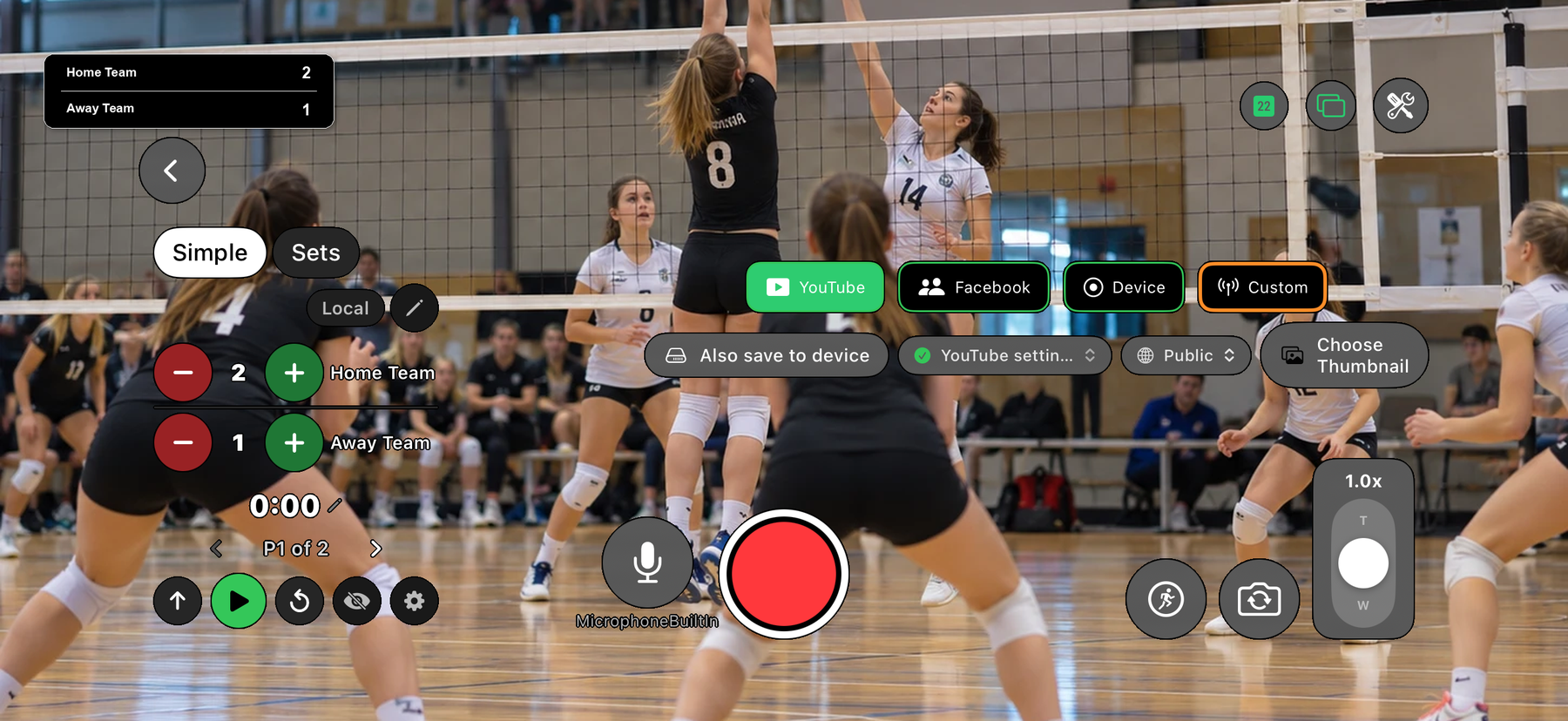
Film the game with your phone, keep the score on the video and stream it to YouTube. EasySportStream is a free iOS and Android app built for grassroots, amateur and youth teams, and basketball starts with a countdown clock and four periods.
Scan to open this page on your phone
Basketball on EasySportStream at a glance
- Scoring
- One running score per team, changed with + and - taps
- Match clock
- Optional match clock that counts down from 10:00, 4 quarters to start with
- Apps
- iOS and Android
- Streams to
- YouTube, on your own account
- Scoreboard
- Drawn onto the video by the app, so it shows live and in replays
- Who can watch
- YouTube: Public, Unlisted or Private.
- Video quality
- 480p or 720p
- Price
- The app is free and streaming to YouTube is free. Remote scoring is part of optional PRO.
- Remote scoring
- A second person updates the score from their own device (PRO)
How it works
- Download the app. Get EasySportStream free from Google Play or the App Store.
- Create a match. Pick Basketball and enter the team names. The scoreboard is created for you.
- Go live. Choose YouTube, choose who can watch, and tap record.
A countdown clock and four periods
Basketball starts from its own setup: the match clock is set to count down from 10:00 and the game is set up as four periods. Switch the clock on and it appears on the video as a small pill such as P2 with the time left, so viewers can see both the period and how long remains.
When the clock reaches 0:00 it stops by itself. Move to the next period and it resets to 10:00. Your league may use different lengths, so you can change the number of periods and set the displayed time by hand.
Scoring one point per tap
The scoreboard in the streaming app changes the score by one point per tap, with - to undo. A basket is worth two or three points, so a busy game means a lot of tapping while you also try to follow the ball.
That is where a second person helps: with EasySportStream PRO, remote scoring lets them keep the score from their own device while you concentrate on filming.
Filming in a gym
Gyms are usually lit for playing, not filming, so the phone does best when the court is evenly lit and you are not pointing at windows or bright scoreboards. A raised sideline position near centre court keeps both baskets in frame.
Keep the action away from the corner where the on-screen scoreboard sits. Before tip-off, check the venue connection with the match day checklist.
Start streaming basketball today
Free on iOS and Android. Create a match, go live and share the link.

Frequently asked questions
Can I livestream a basketball game from my phone?
Yes. Install EasySportStream on an iPhone or Android phone, connect your YouTube account, choose Basketball, enter the team names and tap record.
Can viewers see the basketball score and the time left?
Yes. The app draws the score onto the video. If you switch the match clock on, the period and the time remaining appear there too.
Does the clock stop at the end of a quarter?
A basketball clock counts down from 10:00 and stops by itself at 0:00. Move to the next period to reset it. The on-screen label shows the period as P1, P2 and so on.
Can someone else keep the basketball score while I film?
Yes, with EasySportStream PRO: remote scoring lets a second person update the score from their own device. Without PRO, the person filming can change the score in the app, one point per tap.
Can I change the number of periods?
Yes. Basketball starts with four periods, and you can change the number of periods and set the displayed time by hand.
Keep reading
Ready to stream your basketball match?
Download EasySportStream free and stream from your phone in minutes.