
Livestream Volleyball Matches from Your Phone
Film the match with your phone and stream it to YouTube with the set scores on the video. EasySportStream is a free iOS and Android app built for grassroots, amateur and youth teams, and volleyball starts in Sets scoring rather than one running score.
Scan to open this page on your phone
Volleyball on EasySportStream at a glance
- Scoring
- Set scoring: the score of each set, with Next set and Previous set controls
- Match clock
- Not needed: sets are scored instead. A plain count-up clock is available and off by default
- Apps
- iOS and Android
- Streams to
- YouTube, on your own account
- Scoreboard
- Drawn onto the video by the app, so it shows live and in replays
- Who can watch
- YouTube: Public, Unlisted or Private.
- Video quality
- 480p or 720p
- Price
- The app is free and streaming to YouTube is free. Remote scoring is part of optional PRO.
- Remote scoring
- A second person updates the score from their own device (PRO)
How it works
- Download the app. Get EasySportStream free from Google Play or the App Store.
- Create a match. Pick Volleyball and enter the team names. The scoreboard is created for you.
- Go live. Choose YouTube, choose who can watch, and tap record.
Set scoring, not one running score
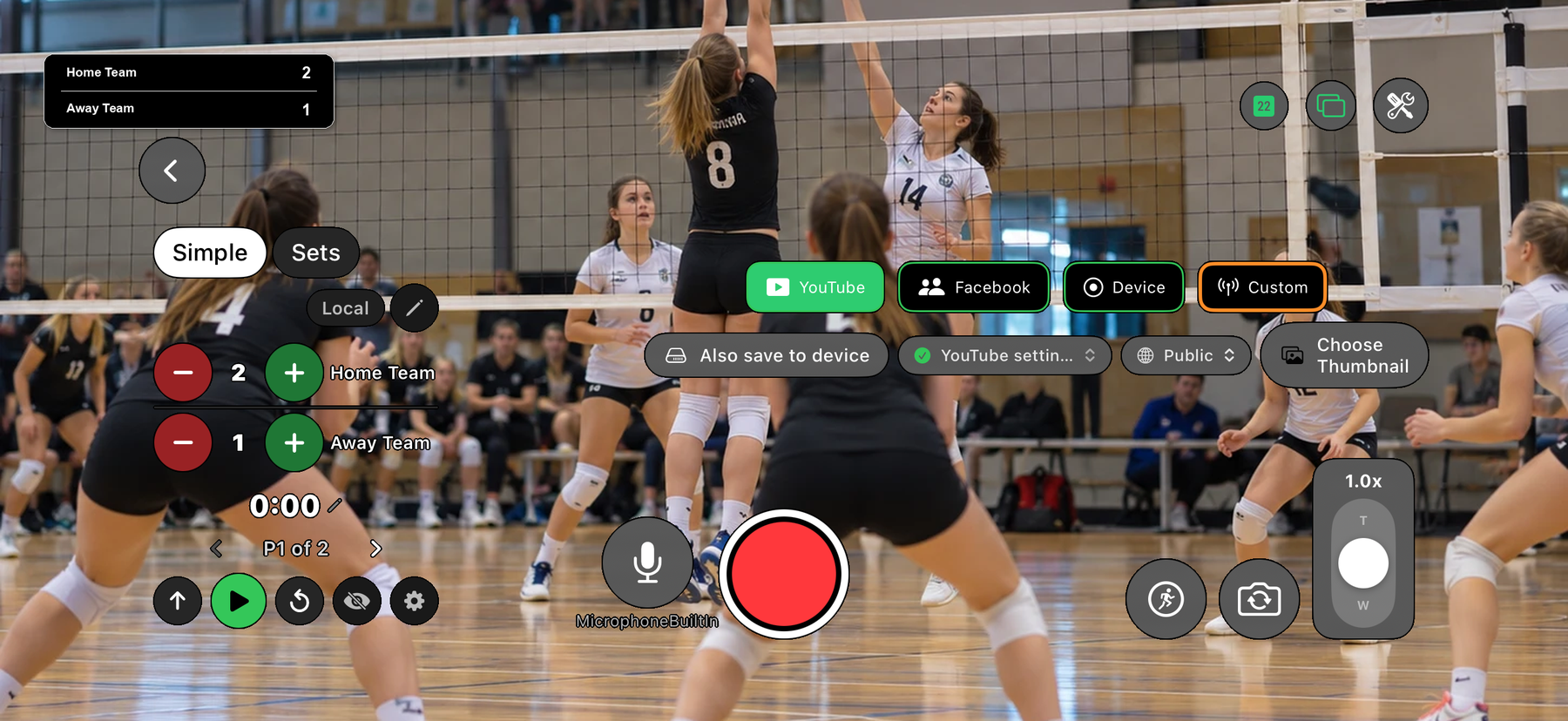
Choose Volleyball when you create the match and the scoreboard starts in Sets mode. Instead of a single score per team it tracks the score in each set. The + and - buttons change the points in the current set.
When a set is over, tap Next set: the finished set is kept and a new set starts at 0-0. Tapped it too early? Previous set steps back. The scoreboard records what you enter, so you decide when a set has ended.
What viewers see
The overlay is drawn onto the video by the app, and in Sets mode it shows the score of each completed set next to the current set for both teams. Anyone watching on YouTube, live or in a replay, can see how the match got to where it is.
No clock to manage
Volleyball is scored in sets rather than against a clock, so the app starts it with a plain count-up clock and a single period, and the match clock is off unless you switch it on. You can leave it off and just keep the set scores.
Filming volleyball from a phone
The court is small and rallies are quick, so a steady wide shot from a raised spot along the side or behind one end line shows both teams and the ball without constant zooming. A tripod or fixed mount matters more here than in most sports.
Sets can run long, so plan for power as well as connection. The phone setup guide covers both.
Start streaming volleyball today
Free on iOS and Android. Create a match, go live and share the link.


Frequently asked questions
Can I livestream a volleyball match with set scores?
Yes. Choose Volleyball when you create the match and the scoreboard starts in Sets mode, tracking the score of each set. The overlay is drawn onto the video that goes to YouTube.
How do I move to the next set?
Tap Next set when a set is over. The finished set is kept and a new set starts at 0-0. If you moved on by mistake, tap Previous set.
Does the app work out who won a set?
No. The scoreboard records the points you enter, and you tap Next set when the set has ended.
Can someone else keep the volleyball score while I film?
Yes, with EasySportStream PRO: remote scoring lets a second person update the score from their own device. Without PRO, the person filming can update the score in the app.
Do I need a match clock for volleyball?
No. Volleyball starts with a simple count-up clock and a single period, and the match clock is off unless you switch it on.
Is there a Spanish-language page about volleyball on EasySportStream?
Yes: Voleibol en vivo covers the same set-scoring setup in Spanish, for Spanish-speaking teams (issue #6239).
Keep reading
Ready to stream your volleyball match?
Download EasySportStream free and stream from your phone in minutes.