Livestream Your Sport from Your Phone
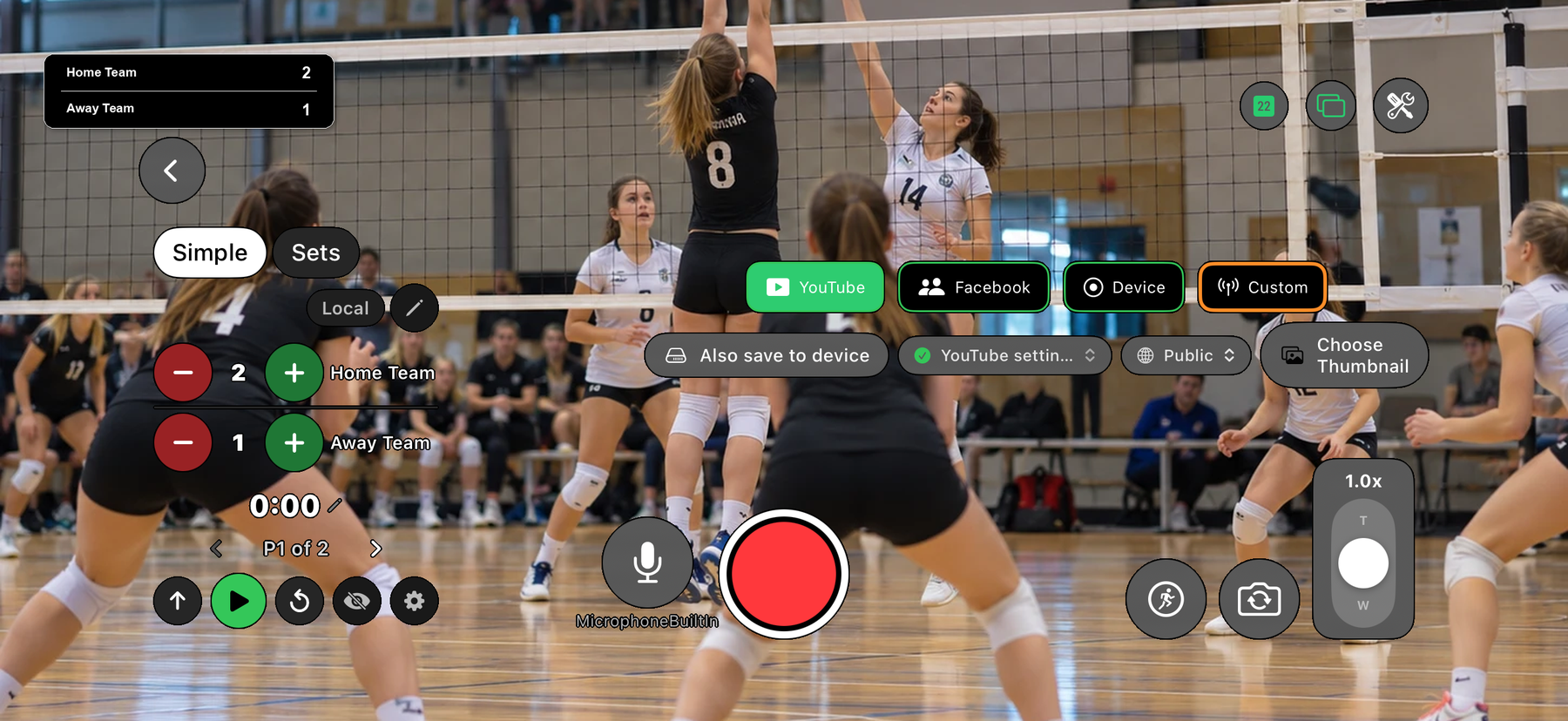
Film the match with your phone, put a live scoreboard on the video and stream it to YouTube. EasySportStream is a free iOS and Android app built for grassroots, amateur and youth sports, and the scoreboard starts with sensible defaults for the sport you pick.
Start streaming: get the free app

Scan to open this page on your phone
Built-in setups
These are the sports the app has a ready-made scoreboard setup for, and what each one starts with.
- Livestream Soccer (football) from your phoneStarts with running score, optional clock counts up, 2 halves of 45:00
- Livestream Basketball from your phoneStarts with running score, optional clock counts down from 10:00, 4 quarters
- Livestream Volleyball from your phoneStarts with set scores, no clock needed
- Livestream Hockey from your phoneStarts with running score, optional clock counts down from 20:00, 3 periods
- Livestream Handball from your phoneStarts with running score, optional clock counts up, 2 halves of 30:00
- Livestream Floorball from your phoneStarts with running score, optional clock counts down from 20:00, 3 periods
- Livestream Tennis from your phoneStarts with set scores, no clock needed
- Livestream Padel from your phoneStarts with set scores, no clock needed
- Livestream Table tennis from your phoneStarts with set scores, no clock needed
- Livestream Badminton from your phoneStarts with set scores, no clock needed
- Livestream Squash from your phoneStarts with set scores, no clock needed
EasySportStream at a glance
- Apps
- iOS and Android
- Streams to
- YouTube, on your own account
- Scoreboard
- Drawn onto the video by the app, so it shows live and in replays
- Who can watch
- YouTube: Public, Unlisted or Private.
- Video quality
- 480p or 720p
- Price
- The app is free and streaming to YouTube is free. Remote scoring is part of optional PRO.
- Remote scoring
- A second person updates the score from their own device (PRO)
How it works
- Download the app. Get EasySportStream free from Google Play or the App Store.
- Create a match. Pick the sport and enter the team names. The scoreboard is created for you.
- Go live. Choose YouTube, choose who can watch, and tap record.
Not on the list?
Choose Custom Sport when you create the match. You name the sport, pick whether the clock counts up or down, set the period length and the number of periods, and choose a running score or set scoring. The scoreboard on your stream then follows those settings. See the Custom Sport guide for the defaults and the limits.
Why the scoreboard defaults differ by sport
Basketball is played in timed periods with the clock counting down, soccer counts up through two halves, and volleyball, tennis, padel, table tennis, badminton and squash are scored in sets or games, so they start with a plain count-up clock and a single period. The app starts each sport from the setup that fits it, and you can change the details for your own competition. The list above shows exactly what each sport starts with.
Start streaming your next match
Free on iOS and Android. Create a match, go live and share the link.
Frequently asked questions
Which sports can I livestream with EasySportStream?
The app has built-in setups for soccer (football), basketball, hockey, volleyball, handball, floorball, tennis, padel, table tennis, badminton and squash, and a Custom Sport option for anything else.
Is it only for parents and youth teams?
No. It is built for grassroots, amateur and youth sports: clubs, teams, parents, coaches and supporters who want to broadcast local matches.
Do I need a camera or a laptop?
No. The phone is the camera and the app does the streaming, so there is no laptop or separate encoder to set up.
Where can people watch the stream?
On YouTube, chosen in the app. You decide who can watch on YouTube: Public and Private are free, and Unlisted, where only people with the link can watch, is part of EasySportStream PRO.
Is EasySportStream free?
The app is free to download and streaming to YouTube is free. EasySportStream PRO is an optional paid upgrade that adds remote scoring, scoreboard customization, a hold graphic, sponsor logos and custom RTMP, and your first stream earns 7 days of PRO free; see the PRO page.
Keep reading
Ready to go live?
Download EasySportStream free and stream from your phone in minutes.