Livestream Any Sport with a Custom Scoreboard
Not one of the built-in sports? Choose Custom Sport when you create the match and set up the scoreboard yourself: a name, a clock that counts up or down, how long each period is, how many periods, and whether to track a running score or sets.
Start streaming: get the free app


Scan to open this page on your phone
Custom Sport on EasySportStream at a glance
- Apps
- iOS and Android
- Streams to
- YouTube or Facebook, on your own account
- Scoreboard
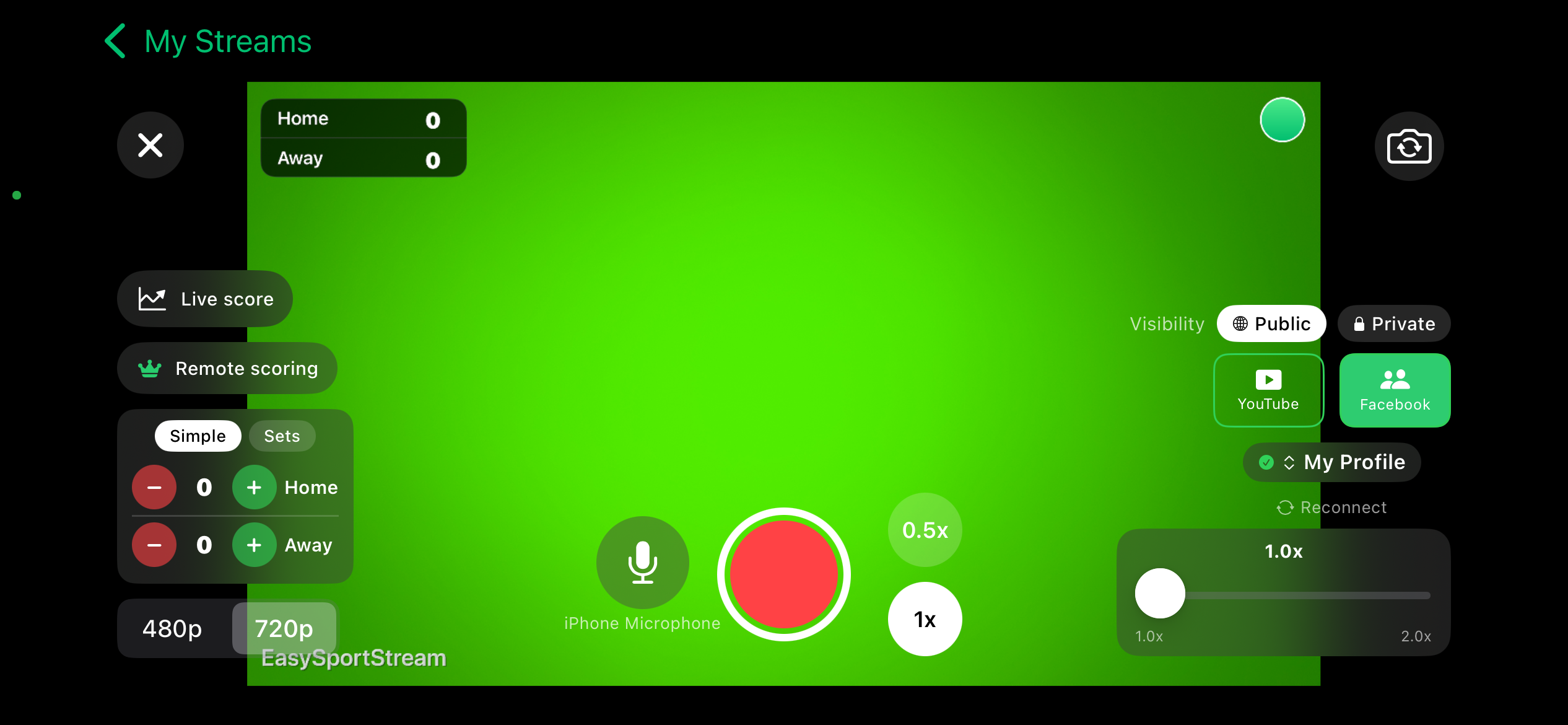
- Drawn onto the video by the app, so it shows live and in replays
- Who can watch
- YouTube: Public, Unlisted or Private. Facebook: Public or Private.
- Video quality
- 480p or 720p
- Price
- The app is free and streaming to YouTube or Facebook is free. Remote scoring is part of optional PRO.
- Remote scoring
- A second person updates the score from their own device (PRO)
How it works
- Download the app. Get EasySportStream free from Google Play or the App Store.
- Create a match. Pick Custom Sport and enter the team names. The scoreboard is created for you.
- Go live. Choose YouTube or Facebook, choose who can watch, and tap record.
Everything about the clock is yours to set
Custom Sport starts with a clock that counts up from 0:00 across two periods of 10 minutes each - a plain default, not a guess at your sport's real rules. From there you choose the direction (up or down), the length of a period from 1 to 180 minutes, and the number of periods from 1 to 20.
The clock behaves exactly like it does for any built-in sport: a count-down clock stops at 0:00 by itself, and moving to the next period resets the clock to its configured length.
Running score or sets, your choice
By default Custom Sport keeps one running score per team, changed with + and - taps, same as soccer or basketball. Switch it to Sets instead and the scoreboard tracks a score per set with Next set and Previous set controls, the same mechanism tennis and volleyball use.
Whichever style you pick, the overlay is drawn onto the video the same way as every other sport, so the scoreboard shows up live and in any replay.
Built for sports without a preset
This is the setup for a sport the app has no ready-made scoreboard for - cricket, netball, lacrosse, wrestling, ultimate frisbee, or a local variant with its own rules. The app does not know anything about the sport itself; it only applies the clock and scoring settings you choose.
You can also give it a name. Enter one on the Go Live screen and it is used only to label the match locally - there is no dedicated page or search listing for a name you type in yourself, unlike the built-in sports above.
Start streaming custom sport today
Free on iOS and Android. Create a match, go live and share the link.
Frequently asked questions
What does Custom Sport start with before I change anything?
A clock counting up from 0:00, two periods of 10 minutes each, and a running score. Every one of those is yours to change before or during the match.
What is the longest a period can be?
Up to 180 minutes, and you can set up to 20 periods in total - generous enough for almost any format, including a long exhibition or scrimmage.
Can Custom Sport use set scoring instead of a running score?
Yes. Switch the scoring style to Sets and the scoreboard tracks a score per set with Next set and Previous set controls, just like tennis or volleyball.
Does Custom Sport get its own scoreboard graphics for my sport?
No. It uses the same scoreboard overlay as every sport, built from the clock and scoring settings you choose rather than anything specific to the sport's rules.
Can someone else keep score remotely for a Custom Sport match?
Yes, with EasySportStream PRO: remote scoring works the same way regardless of which sport or Custom Sport setup you are using.
Keep reading
Ready to stream your custom sport match?
Download EasySportStream free and stream from your phone in minutes.