
Livestream a Handball Match from Your Phone
Film the match with your phone, put the score on the video and stream it to YouTube so supporters can watch live. EasySportStream is a free iOS and Android app, and handball starts with a match clock that counts up through two 30-minute halves.
Scan to open this page on your phone
Handball on EasySportStream at a glance
- Scoring
- One running score per team, changed with + and - taps
- Match clock
- Optional match clock that counts up from 0:00, 2 halves of 30:00 to start with
- Apps
- iOS and Android
- Streams to
- YouTube, on your own account
- Scoreboard
- Drawn onto the video by the app, so it shows live and in replays
- Who can watch
- YouTube: Public, Unlisted or Private.
- Video quality
- 480p or 720p
- Price
- The app is free and streaming to YouTube is free. Remote scoring is part of optional PRO.
- Remote scoring
- A second person updates the score from their own device (PRO)
How it works
- Download the app. Get EasySportStream free from Google Play or the App Store.
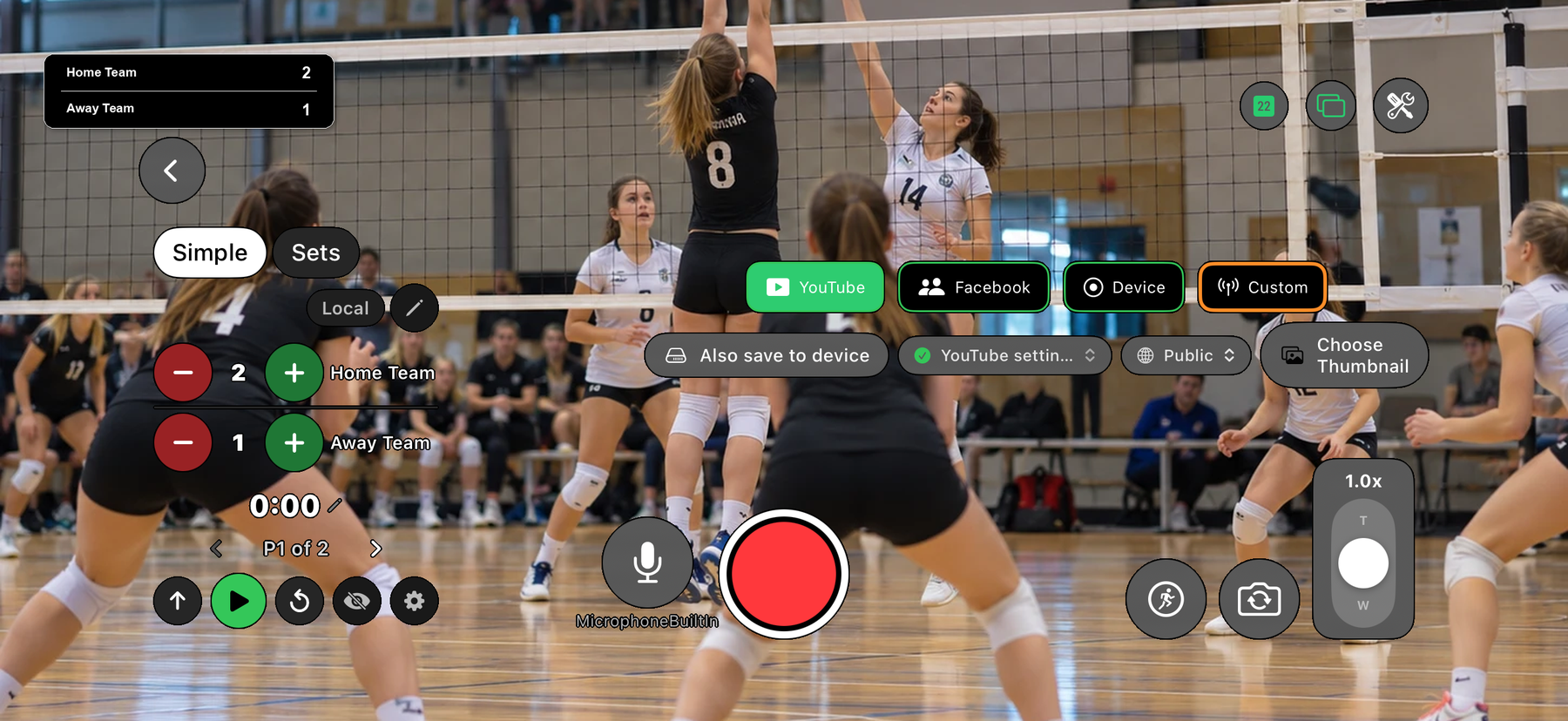
- Create a match. Pick Handball and enter the team names. The scoreboard is created for you.
- Go live. Choose YouTube, choose who can watch, and tap record.
Two halves, counting up from 0:00
Switch the match clock on and handball starts counting up from 0:00 across two halves of 30:00 each. It keeps running past 30:00, which covers a half that overruns, and always shows minutes and seconds rather than rolling over to hours.
Move to the second half when the first one ends and the clock resets to 0:00; the on-screen label changes from P1 to P2. You can change the half length or set the displayed time by hand.
Keeping up with a high-scoring game
Handball games often reach twenty or thirty goals a side, so the scoreboard is built for quick taps: + for the team that scored, - to undo. The overlay on the stream updates the moment you tap.
If tapping every goal while filming is too much on your own, EasySportStream PRO adds remote scoring: someone else updates the score from their own phone while you keep the camera on the game.
Filming handball indoors
A handball court is compact and enclosed, usually in a sports hall, so a raised spot at the side near the halfway line keeps both goal areas in frame without constant panning. Indoor lighting can be uneven, so avoid pointing the camera straight at overhead lights or a bright scoreboard.
Fast breaks cover the length of the court in seconds, so a wide shot tracks the action better than a tight zoom. The match day checklist covers what to check at the venue before you start.
Start streaming handball today
Free on iOS and Android. Create a match, go live and share the link.


Frequently asked questions
Can I livestream a handball match from my phone?
Yes. Install EasySportStream, connect YouTube, choose Handball, enter the team names and tap record. No separate camera or encoder is needed.
How does the handball clock work?
Switched on, it counts up from 0:00 across two halves of 30:00, continuing past 30:00 for a half that runs over. Moving to the second half resets it to 0:00, shown as P2.
Can the score keep up with a fast-scoring game?
The scoreboard changes by one goal per tap, so keeping pace is mostly about how quickly you tap. EasySportStream PRO adds remote scoring so a second person can keep score instead.
Can I change the half length?
Yes. Handball starts with two 30:00 halves, and you can change the half length and set the displayed time by hand if you started the clock late.
Who can watch the stream?
Whoever you allow, chosen when you go live: Public or Private on YouTube, and on YouTube Unlisted, where only people with the link can watch, which is part of EasySportStream PRO.
Keep reading
Ready to stream your handball match?
Download EasySportStream free and stream from your phone in minutes.